
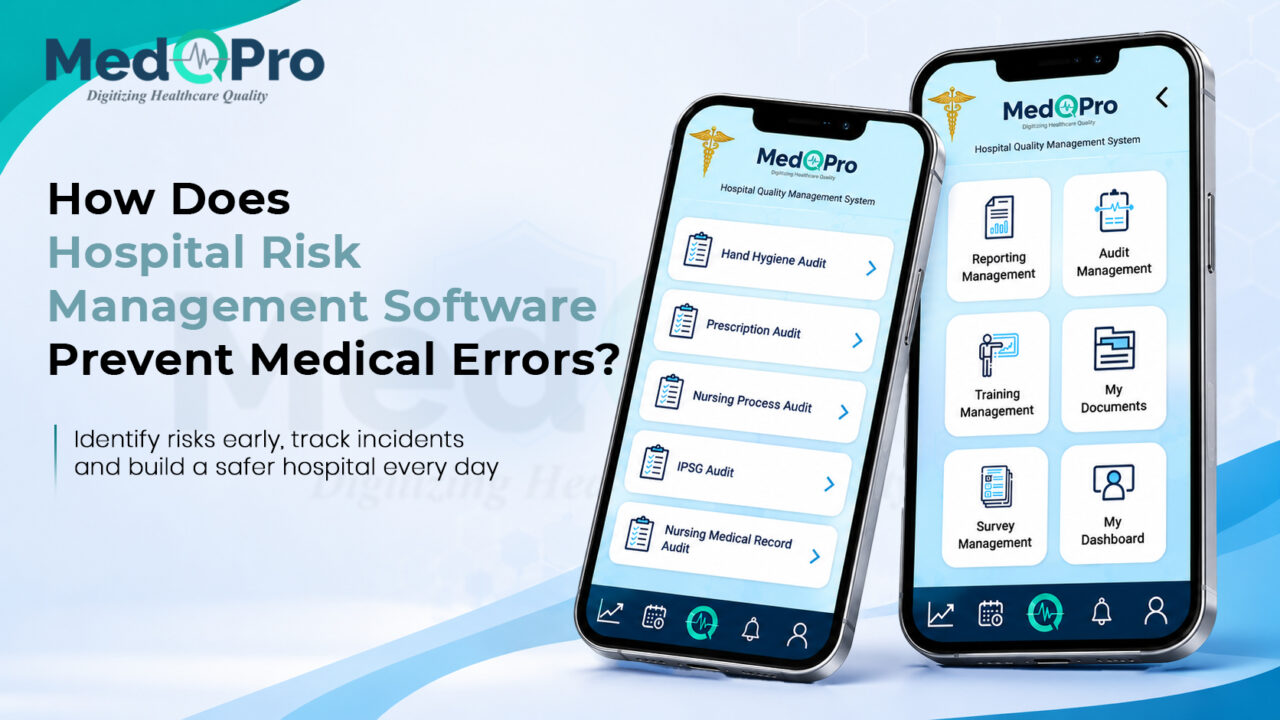
Running a medical facility comes with constant hazards. From wet floors in the hallway to medication mix-ups in the ward, administrators have to watch everything. Tracking these dangers on paper makes it impossible to fix them quickly. When you use dedicated Hospital Risk Management Software, your team spots the warning signs before anyone gets hurt. A digital setup takes the guesswork out of safety and keeps your staff ready for any situation.
Table of Contents
- Why Do Paper Incident Reports Fail?
- How Do Digital Tools Catch Hazards Early?
- What Makes A Safety System Actually Work For Staff?
Why Do Paper Incident Reports Fail?
When a nurse spots a broken bed rail, filling out a paper form is a slow process. They have to leave the floor, find the right paperwork, write down the details, and drop it in a manager’s box. That piece of paper might sit there for days before anyone actually reads it. During that delay, another patient could easily use that broken bed and suffer a bad fall.
Physical records also make it impossible to see the big picture. If three different wings have issues with a specific medicine cart, the managers will not know unless they sit down and manually read every single report side by side. Paper hides the actual trends, leaving the hospital completely blind to repeating dangers that need a permanent fix.
How Do Digital Tools Catch Hazards Early?
Moving your patient safety protocols to a cloud system completely changes how you handle daily threats. A digital risk management for hospitals setup gives your frontline workers the power to report issues. Here is how a solid digital framework stops accidents from happening:
- Instant Mobile Reporting: Frontline workers carry smartphones, so they should use them to log hazards on the go. If a doctor sees a spilled chemical, they can take a picture and send an alert right from the busy hallway. This immediate notice tells the cleaning crew exactly where to go before someone slips and falls.
- Incident Tracking: When someone reports a danger, the system generates a ticket. This can’t get lost under a stack of files. Managers can see the progress of the fix in real time right from their office screens. The software sends automatic reminders to the maintenance team until they actually close the ticket and fix the problem.
- Deep Clinical Analysis: The software reads all the incoming reports and groups them by category and physical location in the building. If a specific ward logs multiple medication errors in one week, the system flags it immediately. Then administrators can step in and look at the clinical risk assessment data and retrain that particular team before it gets worse.
- Legal Compliance: Check that medical facilities comply with stringent regulations from government health boards and private hospital inspectors. The system records every step you take to fix a problem, creating a clear trail of digital evidence. When auditors arrive, you can easily show them your incident reporting tools and prove that your building is safe.
What Makes A Safety System Actually Work For Staff?
If a tracking tool is too complicated, busy doctors simply will not use it. The best software for healthcare risk mitigation must have a very simple layout. Your nurses should be able to open the app, tap a few buttons, and get back to their patients in less than two minutes. A clean and basic screen design guarantees high participation across every single department. It also needs to connect smoothly with your other medical programs. If your staff have to type the exact same patient details into two different computer screens, they will get frustrated and make spelling mistakes. The safety system should pull information directly from your main network to keep the records perfectly matched.
Take Control of Your Facility’s Safety
You cannot run a modern medical centre relying on slow paper forms and blind guesses. Moving your safety checks to a digital screen gives you a clear view of exactly what is happening in your hallways. Finding out how to track clinical incidents effectively keeps your staff accountable and protects your patients from avoidable harm.
Stop waiting for accidents to happen. Visit or contact MedqPro to see how our digital tools can organise your safety routines.
Frequently Asked Questions
Does the staff need special training to use the app?
No. The interface is built to look just like the normal apps people use on their phones every single day. A nurse or doctor can figure out how to solve an issue in just a few minutes without sitting through a long computer class.
What Happens If the Hospital Internet Goes Down?
The mobile app has an offline mode specifically for this reason. Staff can still take pictures and fill out forms while they walk the floor. The app just waits until the Wi-Fi comes back on and then uploads everything automatically.
Can We Control Who Sees the Incident Reports?
Yes. The system is very strict with user access levels to protect sensitive medical data. A regular staff member might only see the forms they filled out, while the head administrator can see the hazard data for the whole building.